 闪电下载站
闪电下载站phpcms v9 不能加https友情链接的完美解决方法
现在很多站都用上了https加密,但是一些使用phpcms v9的朋友发现不能加带https的友情,添加时会提示不合法,这是由于php中判断没有加入https导致的,下面小编分享完美的解决方法,改几个php文件就可以了。

1、打开 phpcmsmoduleslinkindex.php 文件,找到
if($_POST[‘url’]==”” || !preg_match(‘/^http://(.*)/i’, $_POST[‘url’])){showmessage(L(‘siteurl_not_empty’),”?m=link c=index a=register siteid=$siteid”);}修改为:if($_POST[‘url’]==”” || !preg_match(‘/^(http://|https://)(.*)/i’, $_POST[‘url’])){showmessage(L(‘siteurl_not_empty’),”?m=link c=index a=register siteid=$siteid”);}找到$logo = safe_replace(strip_tags($_POST[‘logo’]));if(!preg_match(‘/^http://(.*)/i’, $logo)){$logo = ”;}修改为:$logo = safe_replace(strip_tags($_POST[‘logo’]));if(!preg_match(‘/^(http://|https://)(.*)/i’, $logo)){$logo = ”;}2、打开 phpcmsmoduleslinktemplateslink_add.tpl.php 文件,找到$(“#link_url”).formValidator({onshow:””,onfocus:””}).inputValidator({min:1,onerror:””}).regexValidator({regexp:”^http://[A-Za-z0-9]+.[A-Za-z0-9]+[/=?%- ]*([^ ])*$”,onerror:””})修改为:$(“#link_url”).formValidator({onshow:””,onfocus:””}).inputValidator({min:1,onerror:””}).regexValidator({regexp:”^(http://|https://)[A-Za-z0-9]+.[A-Za-z0-9]+[/=?%- ]*([^ ])*$”,onerror:””})3、打开 phpcmsmoduleslinktemplateslink_edit.tpl.php 文件,和上面link_add.tpl.php的方法一样修改就可以了。之后大家可以在后台更新一下缓存就可以添加https的网站友情了
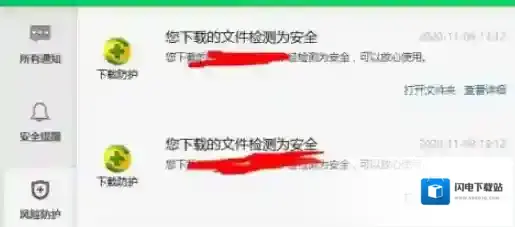
360安全卫士下载文件安全提示功能开启方法
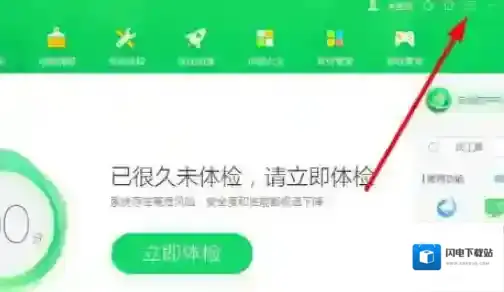
文件下载
2、选择点击设置;
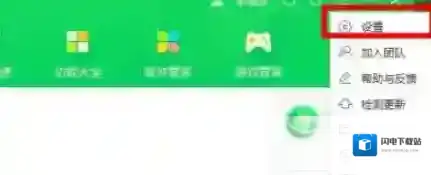
文件就可以
3、在左侧功能中找到弹窗设置,点击选择下载安全提示;
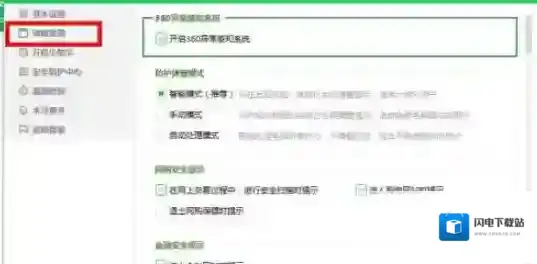
文件点击
4、勾选下载到的文件为安全时提示;
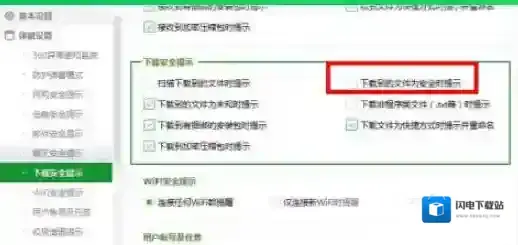
文件安全提示
5、设置好之后点击右下方确定,就可以生效了,之后我们在下载完文件之后,就可以看到下载提示,查看文件的安全性。